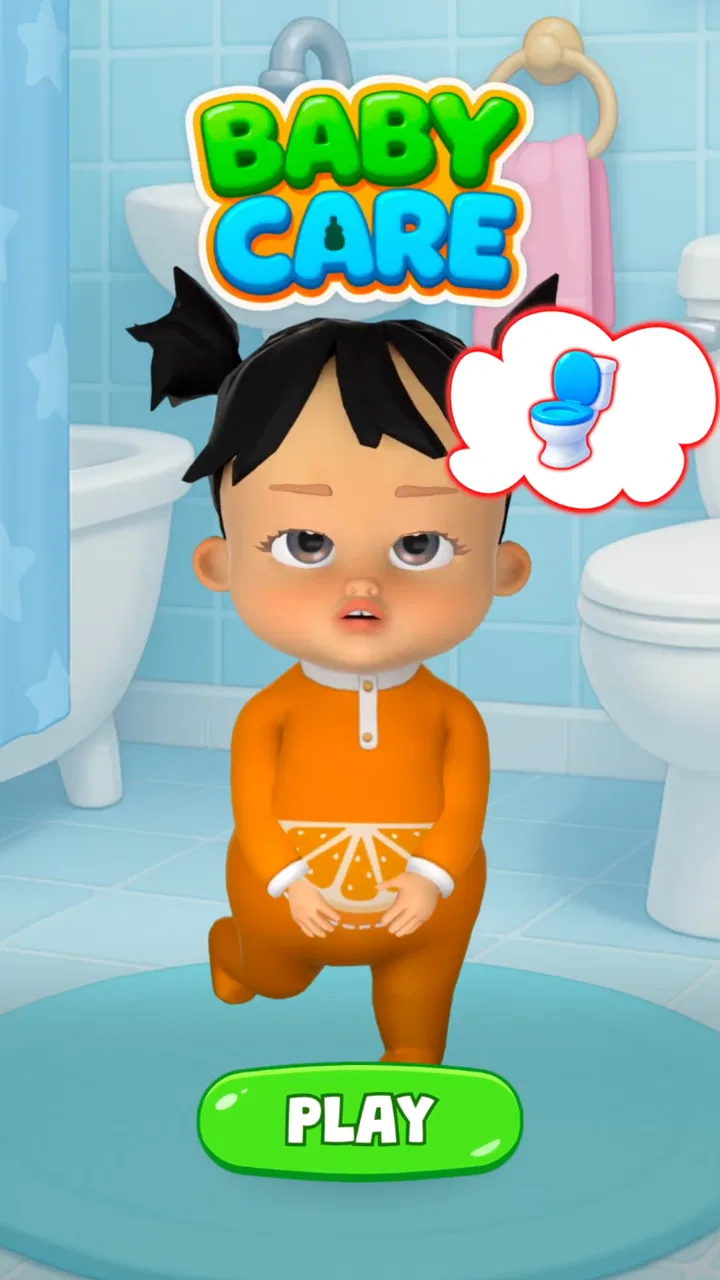
My Baby Care: Virtual Daycare
- 4.1
- Rating
- 5.00M
- Installs
- Free
- Price

 Analysis by App-foxy
I went into My Baby Care: Baby & Kids Care expecting a light virtual pet game, and that is broadly what I found: a free educational game built around looking after a digital baby. Its appeal is immediate because the idea is easy to understand. You check on the child, respond to needs, and learn the rhythm of care through simple play rather than through long explanations. The experience is approachable enough for a young player, while adults can also use it as a gentle introduction to the routines involved in caring for a baby.
What makes the game worth discussing is not the first few minutes. Almost any virtual baby simulator can feel charming at the beginning. The more important question is whether the routine remains enjoyable once the novelty of meeting the baby has faded. After spending time with it, I see a game with a clear audience and a useful learning angle, but also one that depends heavily on whether you enjoy repeated care tasks. It works best when treated as a short, regular activity rather than a deep life simulation.
What the first week feels like
The opening appeal comes from the directness of the concept. There is no complicated genre knowledge to learn before playing. The central task is to care for a baby, and the educational purpose is connected to that task instead of being separated into quizzes or textbook-style lessons. That makes the game easy to hand to someone who wants a friendly introduction to parenting responsibilities without being overwhelmed by technical detail.
You May Also Like

 Blood Strike: 2.5 Anniversary
Blood Strike’s Loadouts Turn Every Drop Into a Tactical Gamble
A close look at Blood Strike’s custom loadouts: how fast access to signature weapons reshapes its battle royale rhythm, rewards preparation, and narrows the gap between fights.

 Pandora - Music & Podcasts
Pandora’s Music Is Easy to Start, but Harder to Recover
Pandora’s strength is its low-effort path from a seed to a station. Its weak spot is how much confidence it asks you to place in connection, setup, and quiet recovery.

 8 Ball Pool
 Is Built on Rivalries, Rematches, and Routine
A close look at the rivalries, rematches, shared routines, and unanswered safety questions that turn a quick pool match into a persistent mobile community.

 Samsung Music
’s Quiet Strength Is Playing What You Already Own
Its reach comes less from spectacle than from dependable access to a personal library. That simplicity is both the app’s strongest retention engine and its ceiling.

 AccuWeather: Weather Radar
AccuWeather Review: A Quick, Clear Forecast for Everyday Decisions
For everyday plans, the best forecast is the one you can understand quickly. AccuWeather makes rain timing, radar, and local conditions easy to act on, with a few trade-offs.

 Hill Climb Racing
Why Hill Climb Racing Still Turns Crashes Into One More Run
A tiny car, a bumpy hill and one more upgrade: Hill Climb Racing keeps resurfacing because its simple chaos makes every near-miss feel personal.
More From Our News Desk



I also like that the game presents care as something ongoing. A baby is not simply a character you visit once and finish a level with; the point is to notice needs, respond, and repeat the process. That loop gives the first sessions a comforting sense of purpose. Even when the actions themselves are simple, the player is encouraged to think in terms of attention, timing, and responsibility.
For families, the best early use is probably shared play. A parent can ask a child what the baby might need and why, rather than simply letting the child tap through every available action. That turns the game into a conversation starter about routines, patience, and the fact that care is not always convenient. On its own, the app cannot replace real guidance, but it can create a safe space for discussing those ideas.
The game is free to start, which removes the biggest barrier for curious players. It is also marked for Everyone, so its presentation is intended to be broadly accessible rather than aimed at older players. I would still encourage an adult to try it first when setting it up for a young child, because the important question is not only whether the content is suitable, but whether the recurring interaction fits the child’s attention span.
On Android, the game supports devices running version 7.0 or later. That gives it a reasonably broad technical reach, especially for people using an older phone or tablet. The current release is version 1.0.18, and the developer is Pixeland OU. Those details matter less than the actual feel of the routine, but they make the app easier to place: this is a relatively focused simulator rather than a large, content-heavy game demanding a recent flagship device.
My first-week impression was positive because the care theme gives every early action a clear reason. I did not need to decode a complicated interface or learn a large collection of systems. The trade-off is that simplicity also limits surprise. If you are looking for a story-driven game, a detailed management simulation, or a competitive challenge, the initial friendliness will not turn into that kind of experience later.
Who gets the most from the early sessions
This is a good fit for children who enjoy pretend play, players curious about baby-care routines, and adults looking for a calm educational activity to share with a child. It can also suit someone who likes virtual pets but wants the theme to feel more grounded in everyday responsibility. The game’s strongest early quality is its ability to make a familiar idea interactive without demanding much gaming experience.
I would be more cautious about recommending it to players who dislike repetition. The educational framing does not remove the fact that the game is built around returning to care for the same virtual character. If the appeal of a game comes from constant discovery, fast progression, or a large variety of challenges, the first-week charm may disappear quickly.
What remains useful after the novelty fades
The month-to-month value depends on whether the player turns the app into a small habit. The game is not at its best as a single long session. Its natural rhythm is checking in, making decisions, and then leaving until the next suitable moment. That structure can be useful for families who want a brief routine, but it may feel thin to anyone expecting a substantial campaign.
One practical way to use it is as a conversation prompt at a predictable time of day. For example, a child could open the game after school, look at the baby’s needs, and explain which task should come first. The adult can then ask what would happen if the task were ignored or delayed. This makes the app more valuable than simply tapping every option as quickly as possible, because the player is practicing prioritization and reflection.
A second useful approach is to treat the game as a responsibility exercise rather than a test of parenting ability. I would avoid presenting success in the app as proof that someone understands real childcare. Instead, use it to discuss the difference between a simplified game routine and the unpredictable needs of a real baby. That distinction protects the educational value from becoming misleading.
The game can also work as a low-pressure introduction for a child who is interested in caring for younger siblings. The player can explore the idea that feeding, comforting, cleaning, and responding to needs require attention. Even if the simulation simplifies those responsibilities, it gives adults specific moments to explain that real childcare includes safety, communication, and asking for help.
Whether that value lasts depends on variation. A player who enjoys maintaining a virtual character may continue returning because the routine itself is satisfying. Someone who needs new goals every session may find that the same care pattern loses energy. This is the main long-term trade-off: the game’s accessibility comes from keeping the concept simple, but simplicity can also reduce reasons to continue.
The public response suggests that the game has reached a substantial audience, with over a million installs and an average rating of 4.0 from around 5,700 ratings. I read that as a sign of broad interest rather than a guarantee of lasting depth. The number of reviews is more limited, at around 175, so I would use the rating as one clue alongside your own expectations. It looks popular enough to have found its audience, but popularity alone does not make the routine suitable for every player.
How it compares with ordinary alternatives
Compared with a traditional educational video or a parenting article, the game’s advantage is active participation. The player has to notice a virtual baby’s situation and choose to respond, which can make the subject easier to remember. Compared with a standard virtual pet, its advantage is the clear parenting theme. It is less about collecting a creature or decorating a space and more about repeating care-oriented actions.
Its disadvantage against both alternatives is depth. A video can explain a topic in detail, while a real conversation with a parent can address questions and exceptions. A larger simulation game may offer more systems, customization, or progression. My Baby Care sits between those options: more interactive than passive learning, but much simpler than a full management game. That middle position is useful for beginners, but it is also why experienced simulation players may outgrow it.
The maintenance burden of keeping it enjoyable
Maintenance is not only about opening the app regularly. It is also about how the player approaches the routine. If every session becomes a race to clear tasks, the educational side becomes less noticeable. If an adult keeps asking thoughtful questions and connects the game’s situations to real life, the same basic interactions can remain useful for longer.
For a child, I would set a natural stopping point instead of allowing the game to fill every spare moment. A short visit can preserve the feeling that caring for the baby is a deliberate activity rather than background noise. This is one of the more important habits with a virtual-care game: the app should support a routine, not become an obligation that the child feels pressured to maintain constantly.
There is also a financial maintenance question. The game is free, but optional in-app purchases range from $9.99 to $59.99 per item. That is a wide range, and it means adults should review purchase controls before handing the device to a child. Even if the free portion is enough to understand the game, the presence of higher-priced items can change how comfortable a family feels about leaving the app unattended.
I would not judge the game solely by those purchases, because free access is genuinely useful for trying the core idea. Still, the purchase range is a reason to treat it as a supervised family app rather than assuming that a free download automatically means a completely cost-free experience. A quick conversation about spending limits can prevent the game from becoming a source of conflict.
Technical maintenance should be straightforward for compatible Android devices, but the game’s current version and operating-system requirement are still worth checking before installation. If you are using an older device, verify that it runs Android 7.0 or newer. More importantly, try the game on the actual device the child will use. A good educational routine can be undermined by a cramped screen, poor responsiveness, or a device that is shared with too many other activities.
Where fatigue begins
The first source of fatigue is repetition without a personal reason to return. Looking after a virtual baby can feel meaningful at first, but the emotional effect is not unlimited. Once the player understands the basic loop, the game needs either a strong personal habit or enough variety to keep attention. If neither is present, the app may become something the player opens briefly and then forgets.
The second source is the gap between simulation and reality. The game can introduce ideas about care, but it cannot reproduce the complexity, uncertainty, or emotional demands of raising a real child. Players who take the educational promise too literally may come away with an overly tidy picture of parenting. I see this as a reason for adult guidance, not a reason to reject the game, but it is an important boundary.
The third is purchase pressure. Even when optional items are not required for casual play, seeing paid content can interrupt the calm educational tone. For younger users, the adult’s setup matters as much as the app itself. If purchases are restricted and expectations are clear, this friction is manageable. If not, the financial side can overshadow the game’s useful qualities.
Another possible fatigue point is the lack of challenge for older players. The Everyone rating makes the app approachable, but broad accessibility often means that the game does not push advanced players very hard. I would choose a more detailed simulator for someone who wants complex schedules, difficult trade-offs, or a realistic study of childcare. This one is better as an introductory experience than as a serious training tool.
My long-term verdict
After the first-week charm has passed, I think the game earns lasting space only in specific homes. It is worthwhile when the player enjoys gentle repetition, or when an adult actively uses it to discuss responsibility and everyday care. In that setting, the app can become a small recurring activity with educational value that comes from how it is played, not simply from the presence of a baby character.
I would recommend it to families wanting a free starting point, to children who like nurturing games, and to adults looking for a simple way to open conversations about parenting. The free entry makes experimentation easy, and the Everyone rating supports a broad audience. Pixeland OU has chosen a clear concept that does not require a large amount of gaming knowledge to understand.
I would skip it if you want a realistic childcare reference, a deep simulation, or a game with constant progression. I would also skip it for a child who becomes anxious about virtual responsibilities or who tends to feel guilty when missing a routine. In those cases, a non-maintenance educational game or a guided conversation may be a better choice.
My final view is cautiously favorable. The app is not a substitute for parenting education, and its repeatable care loop will not satisfy everyone for months. But as a friendly, accessible introduction to the idea that care requires attention over time, it has a useful place. Its lasting value comes from turning short check-ins into thoughtful conversations, not from pretending to recreate real parenthood. Try the free experience, establish sensible boundaries around play and purchases, and decide whether the routine feels rewarding rather than compulsory.
FAQs for My Baby Care: Virtual Daycare
01What features does My Baby Care: Baby & Kids Care offer?
My Baby Care: Baby & Kids Care provides a comprehensive suite of features designed to assist parents in managing their child's needs. These include feeding and diaper change trackers, sleep schedules, growth charts, and developmental milestones. The app also offers tips and advice from pediatricians and parenting experts to ensure your child’s healthy growth.
02Is My Baby Care: Baby & Kids Care suitable for all ages of children?
Yes, the app is designed to cater to the needs of newborns, infants, and toddlers. It includes specific features and advice tailored to each developmental stage, ensuring that you have the right tools and information for your child’s age group, from birth through early childhood.
03How secure is the data stored within the app?
The app prioritizes user privacy and data security. All personal and child-related data is encrypted and securely stored. Users also have control over data sharing and can choose to back up their information to a secure cloud service, ensuring that sensitive information is protected at all times.
04Does the app offer any customization options for tracking?
Yes, My Baby Care: Baby & Kids Care allows for extensive customization. Parents can personalize tracking options to fit their child’s unique needs, such as adding custom feeding schedules or setting reminders for medical appointments. This flexibility helps in tailoring the app to suit individual parenting styles and requirements.
05Are there any in-app purchases or subscription fees?
The app is free to download and use with basic features. However, there are optional in-app purchases and subscription plans that offer premium features, such as advanced tracking tools, personalized expert advice, and ad-free experiences. Users can choose to upgrade based on their needs and preferences.
Pros
- Engaging activities for kids
- User-friendly interface
- Educational content included
- No intrusive ads
- Appealing graphics and sounds
Cons
- Limited free features
- In-app purchases required
- Requires internet connection
- Repetitive gameplay
- Occasional minor bugs

My Baby Care: Virtual Daycare
Gallery